

Installation
Installation and configuration are optional: choose them when you order and the price is added to the order (+ VAT). If more time is needed, we bill the rest separately.
 Online store configuratorAssemble a store from modules and see the price right away.Open the configurator
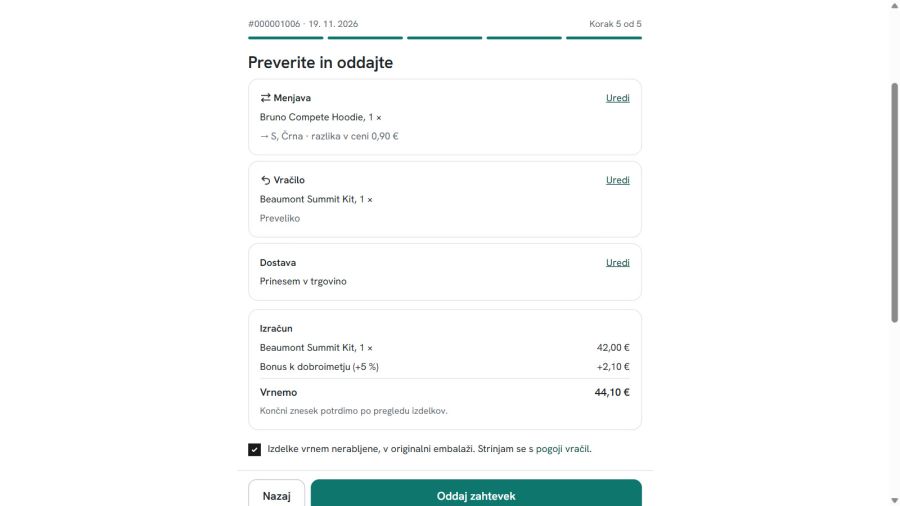
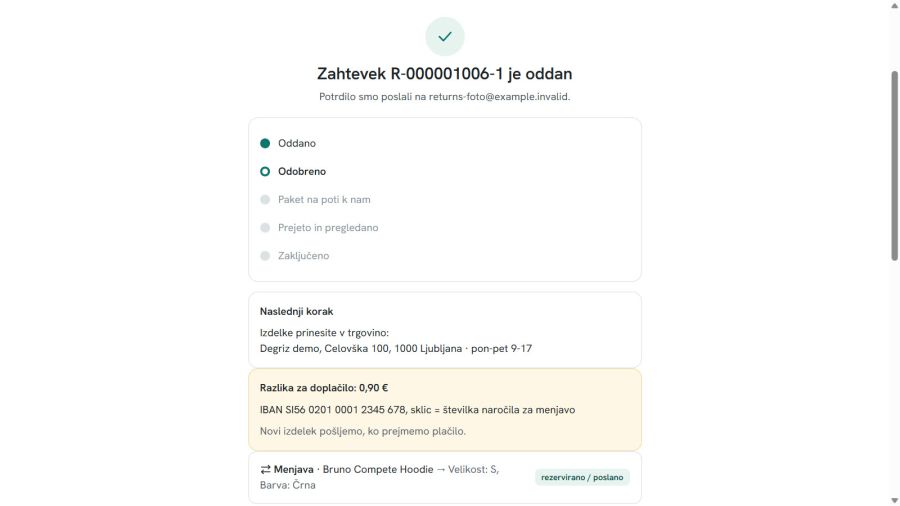
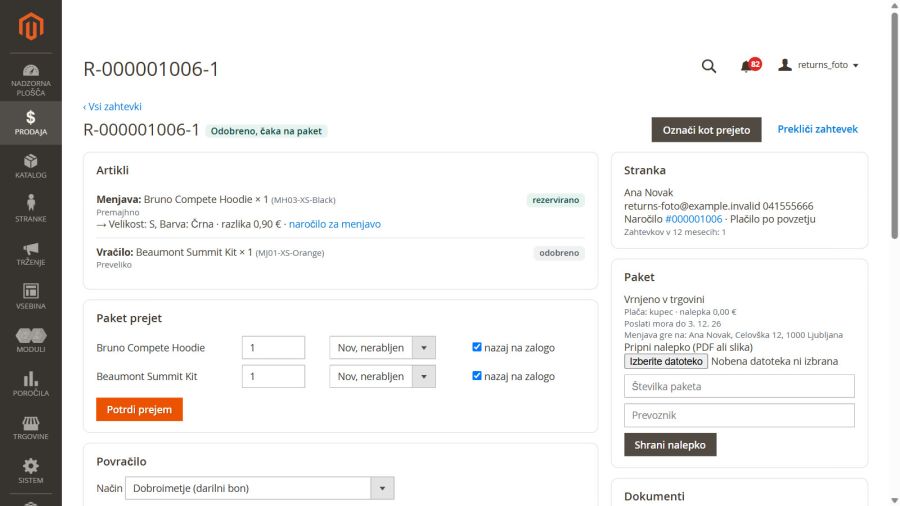
The customer files a return, exchange or complaint, chooses how to send the parcel and gets a carrier label. You approve, receive the goods and refund or ship the exchange with one click.
€190 + VAT · one-off licence, installation optional
"I would like a bigger size." Five e-mails follow: order number, which item, where to send it, who pays postage, when the money comes back. Meanwhile nobody knows which case is at which step.
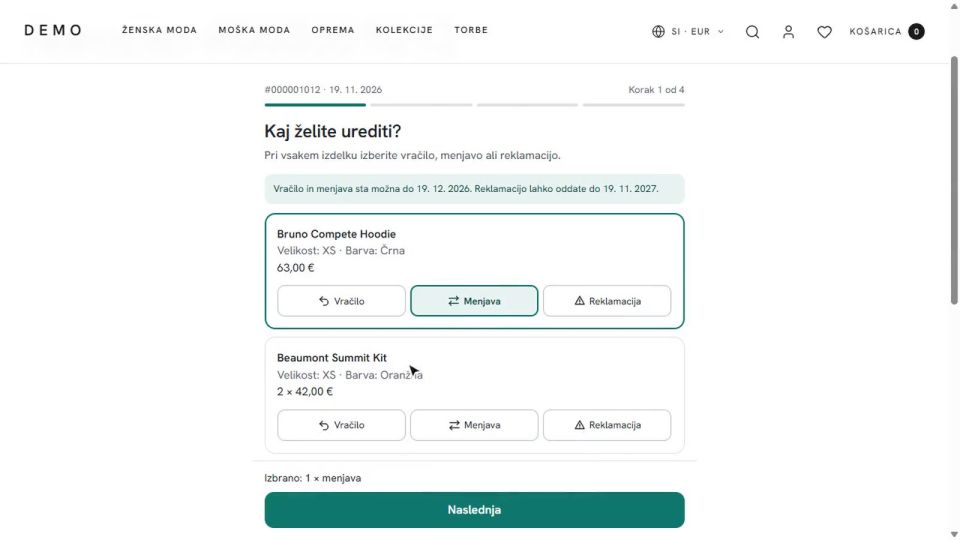
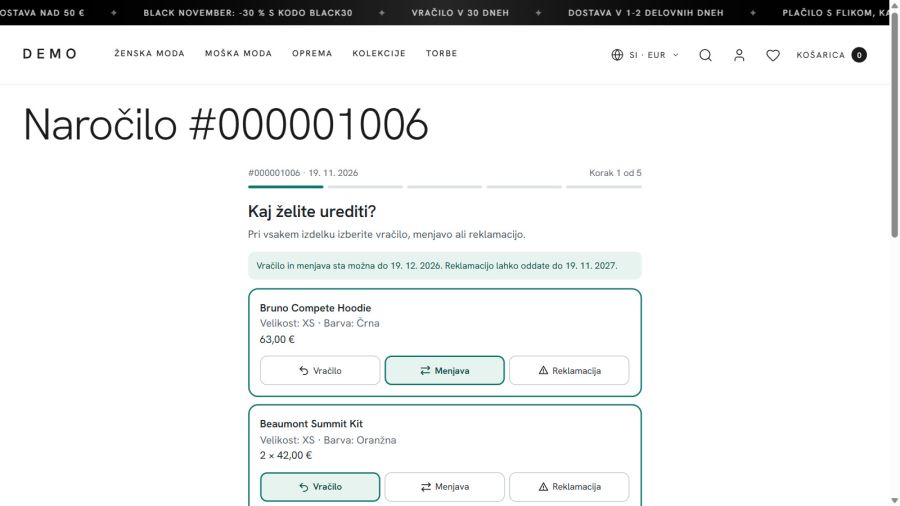
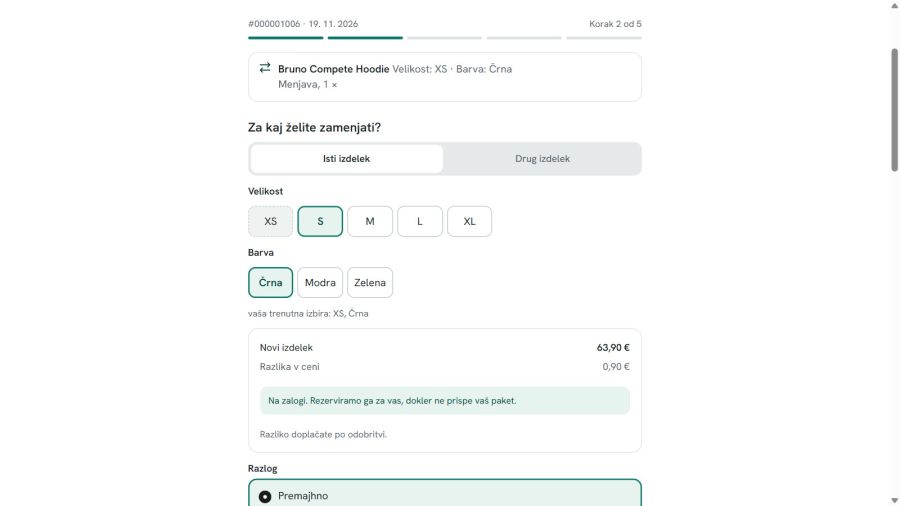
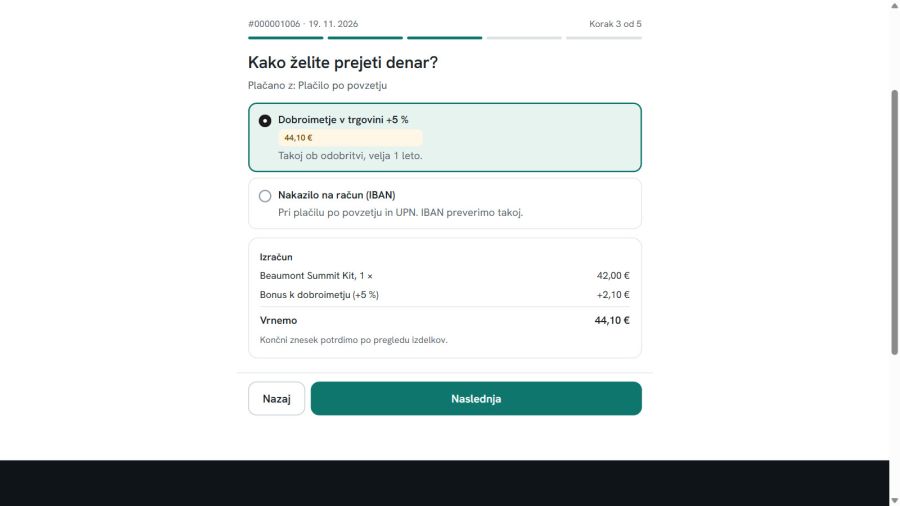
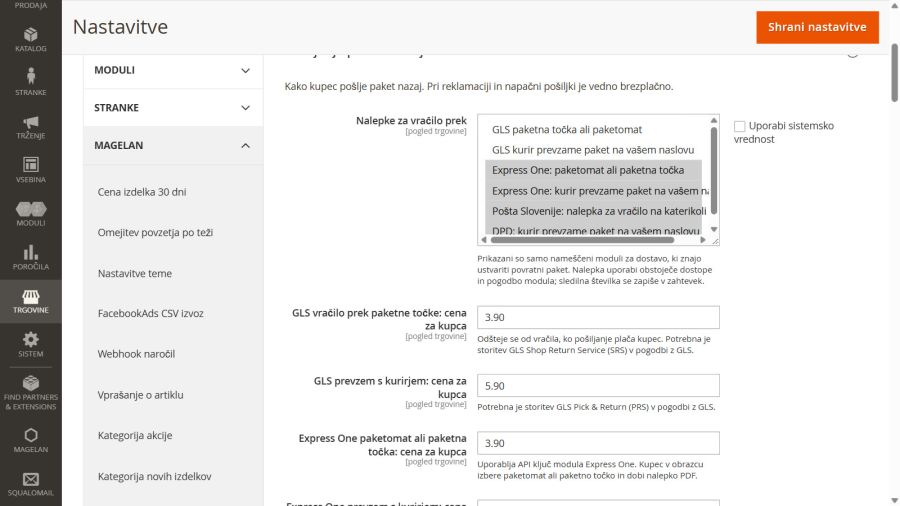
In My account the customer clicks "Return or exchange" next to the order (a guest enters the order number and e-mail). The T-shirt goes back, the trousers are exchanged for a bigger size, and for the shoes a complaint with a photo is filed. The customer picks an Express One parcel locker near home and gets the label right away. You approve the request and the new size is reserved. When the parcel arrives you confirm receipt, refund the T-shirt with one click and ship the trousers.
For stores that handle returns and exchanges by e-mail and phone today, especially with clothing, shoes and other goods where size exchanges are common. With Slovenian carriers the customer does not have to write an address or look for a post office.
In Stores › Configuration › Magelan › Returns, exchanges and complaints every setting has an explanation: periods, refund methods, exchanges, carriers and label prices, e-mail. You handle requests in Sales › Returns and complaints; reasons and the report are in the same menu.
Install it yourself or choose installation and configuration when you order. Building a new store? Add it to your project in the Konfigurator.
We deliver the module from our own repository, installed with Composer. We send you the user name and access key for the repository after purchase. If you prefer, we install and set it up for you, including a label test with your carrier.
In the root of your Magento 2 store run (replace USER and ACCESS_KEY with the details you received):
composer config repositories.degriz composer https://www.degriz.net/konfigurator/composer/packages/composer config --auth http-basic.www.degriz.net USER ACCESS_KEYcomposer require degriznet/m2_returnsphp bin/magento module:enable Magelan_Returnsphp bin/magento setup:upgradephp bin/magento setup:di:compilephp bin/magento setup:static-content:deploy -fphp bin/magento cache:flushFor carrier labels, our module for GLS, Express One, Posta Slovenije or DPD must be installed and configured.
After the payment we e-mail you a link to create the access key. Keep the key safe: for security it is shown only once and we do not keep it in readable form. The user name (your project code) and all the commands, ready to copy, are in your account under My account > Module licences.
Lost the key? Create a new one in your account under Module licences; the old one stops working.
Just the facts.
We develop and maintain the module ourselves, so you write to the people who know it line by line.
Installation and configuration are optional: choose them when you order and the price is added to the order (+ VAT). If more time is needed, we bill the rest separately.
A bug that repeats on a clean Magento with the Luma theme we fix free of charge. Settings, customisations and other themes by time spent.
The licence includes 12 months of free updates for the Magento versions on the supported list.
We agree on a date after reviewing the request. User guides in the guide centre
One-off licence for one store, no subscription. Installation and configuration are optional.
After payment you get the licence and access to our private repository: immediately with a card or PayPal, with a bank transfer (UPN) as soon as we receive the payment. 12 months of free updates are included.
Install it yourself by following the guide, or choose installation and configuration above. If more time is needed, we bill the rest separately. We agree on a date after reviewing the request.
 Mass order invoice / shipTick several orders, pick an action, and the shipments and invoices are created in one go. No need to open every order separately.€90 + VAT
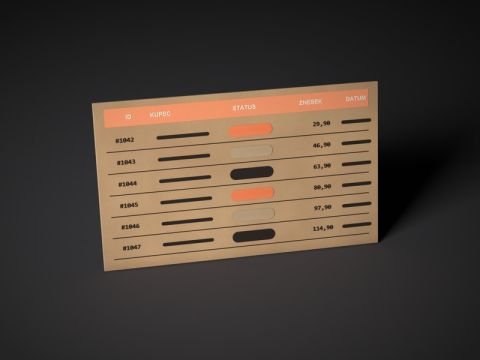 Extended order gridThe orders list gets tabs with counts, coloured rows, and columns for items, phone, coupon and shipping country that you can filter by.€190 + VAT
 Unpaid order reminderReminds the customer of an unpaid order and cancels it automatically when the time runs out, so the store isn't left with stale orders.€270 + VAT

Write to us and we will answer personally.
Online store configurator
Put your own quote together in the configurator and see the price straight away. A few minutes, no obligation, no meeting needed.
Free and with no obligation
We use cookies for the proper functioning of the site, visit analytics and showing ads tailored to your interests. Read more in our privacy policy. By clicking "Accept all" you agree to the use of all cookies.
Necessary cookies enable core functionality such as security, network management, and accessibility. You may disable these by changing your browser settings, but this may affect how the website functions.
| Cookie name | Cookie purpose |
|---|---|
| PHPSESSID | Preserves the visitor's session state across page requests. |
| magelan_geo | Remembers that the visitor closed the suggestion of the other language version of the store, so it is not shown again. |
| form_key | Protects visitor's data from Cross-Site Request Forgery Attacks. |
| guest-view | Stores the Order ID that guest shoppers use to retrieve their order status. Used in “Orders and Returns” widgets. |
| login_redirect | Preserves the destination page the customer was loading before being directed to log in. |
| mage-banners-cache-storage | Stores banner content locally to improve performance. |
| mage-cache-sessid | The value of this cookie triggers the cleanup of local cache storage. |
| mage-cache-storage | Local storage of visitor-specific content that enables ecommerce functions. |
| mage-cache-storage-section-invalidation | Forces local storage of specific content sections that should be invalidated. |
| mage-messages | Tracks error messages and other notifications that are shown to the user, such as the cookie consent message, and various error messages. The message is deleted from the cookie after it is shown to the shopper. |
| private_content_version | Appends a random, unique number and time to pages with customer content to prevent them from being cached on the server. |
| section_data_ids | Stores customer-specific information related to shopper-initiated actions such as display wish list, checkout information, etc. |
| user_allowed_save_cookie, cookie_consent | Stores the user's cookie consent state for the current domain. |
| X-Magento-Vary | Configuration setting that improves performance when using Varnish static content caching. |
Preference cookies are used to store settings and information that changes the website look and functionality.
| Cookie name | Cookie purpose |
|---|---|
| store | Remembers the user's selected language version of a website. |
Marketing cookies help us provide our visitors with relevant content, browsing history, and product recommendations.
| Cookie name | Cookie purpose |
|---|---|
| product_data_storage | Stores configuration for product data related to Recently Viewed / Compared Products. |
| recently_compared_product | Stores product IDs of recently compared products. |
| recently_compared_product_previous | Stores product IDs of previously compared products for easy navigation. |
| recently_viewed_product | Stores product IDs of recently viewed products for easy navigation. |
| recently_viewed_product_previous | Stores product IDs of recently previously viewed products for easy navigation. |
| _fbp | This cookie is installed by Facebook to store and track visits across websites. |
Analytics cookies help us understand how our visitors interact with the website. It helps us understand the number of visitors, where the visitors are coming from, and the pages they navigate. The cookies collect this data and are reported anonymously.
| Cookie name | Cookie purpose |
|---|---|
| dc_gtm_* | Throttles request rate when Google Analytics is deployed with Google Tag Manager. |
| _ga, _gat, _gid, _ga_*, _gat_* | This cookie is installed by Google Analytics. They are used to collect information about how visitors use our website. We use the information to compile reports and to help us improve the website. The cookies collect information in a way that does not directly identify anyone. |