


Every e-mail address gets its own single-use code, valid for one order. The module creates the codes in its own cart price rule, which it manages itself.
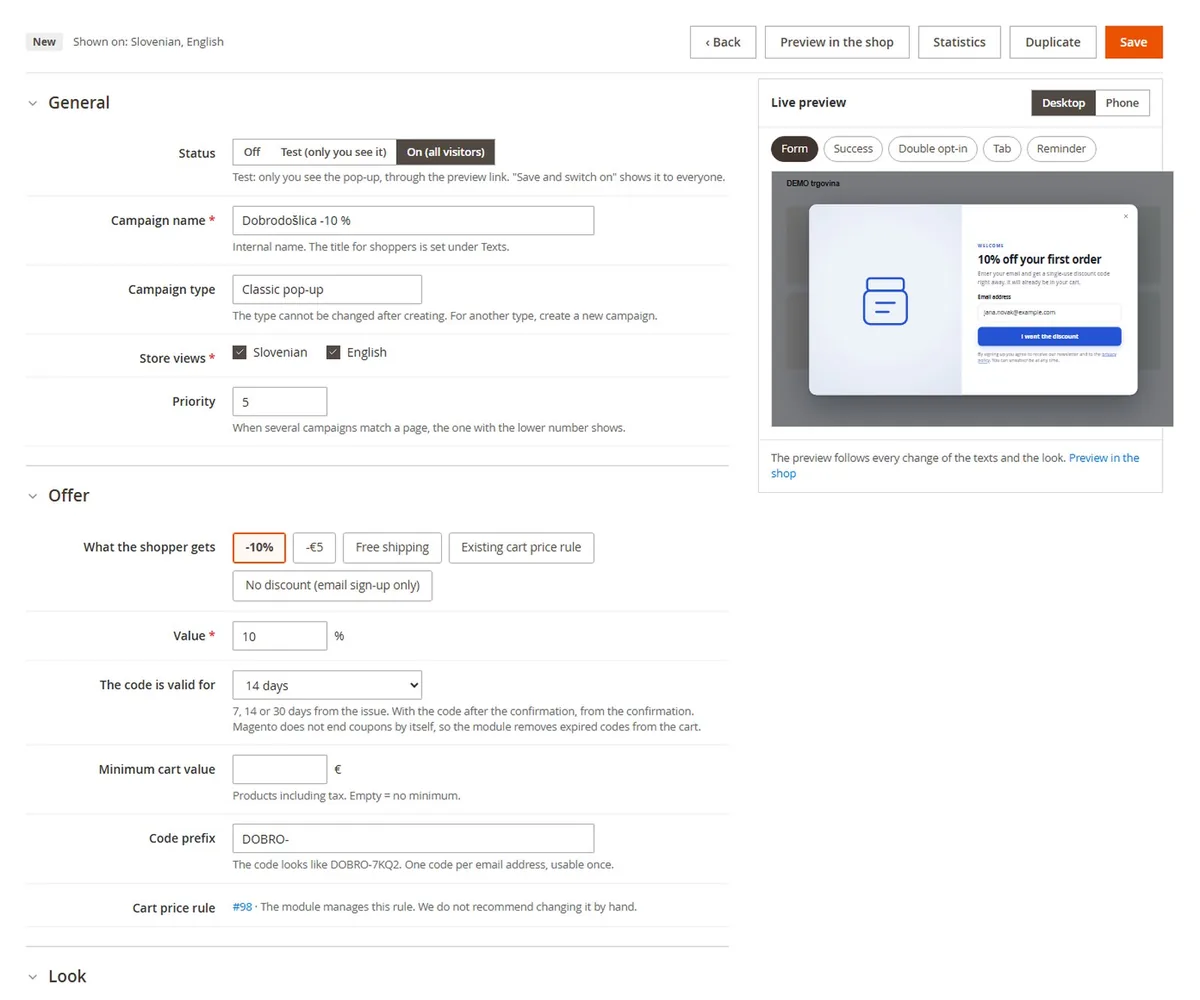
1. The offer
Marketing › Discount Popups › Campaigns › (campaign) › Offer
- Percentage discount (1 to 90%) or Amount off,
- Free shipping,
- Existing cart price rule: only active rules with automatically generated codes can be chosen,
- No discount (email sign-up only): the pop-up collects sign-ups and says thank you, no code.
If you want, enter a Minimum cart value (products including tax) and a Code prefix, for example WELCOME-. Under The code is valid for choose 7, 14 or 30 days. When the code comes after double opt-in, the time counts from the confirmation.
2. How the code gets into the cart
With Add the code to the cart automatically on (default), the code goes in at once if the cart has products, or with the first product if the cart is empty. The shopper can also copy it. With Also send the code by email it lands in the inbox too.

3. The cart already has another code
Magento allows one discount code at a time. The module never replaces another code silently: the shopper chooses Use the new code or keeps the existing one. If they keep it, the new code stays valid and is in the e-mail.

4. The reminder with the code
After the sign-up a bar at the top of the page shows the code, a copy button and the time left. Switch it on in the Frequency section with Reminder with the code after the sign-up. Whoever closes the pop-up without signing up can open it again from the tab at the edge (Tab after closing).

The code is not in the cart
Check the minimum cart value and whether the cart already has another code. If the store asks subscribers to confirm, the code is issued only after the confirmation.
Next: Discount popup: double opt-in and new subscribers only.