

Installation
For existing Degriz customers we install the module free of charge. For other buyers we charge the installation by time spent.
 Online store configuratorAssemble a store from modules and see the price right away.Open the configurator
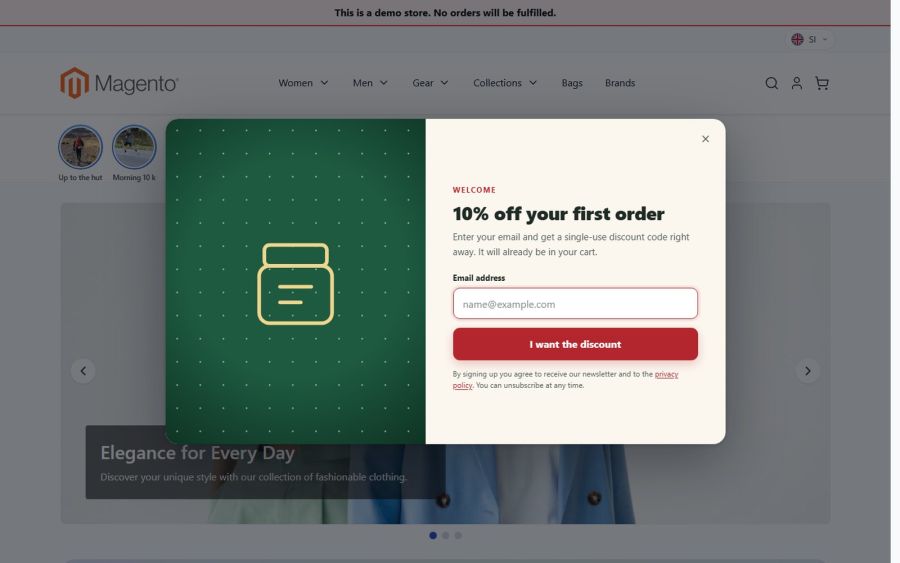
The visitor enters an e-mail address and gets a single-use discount code that is already in the cart, at once or after confirming the newsletter. The pop-up shows on exit intent or after a time, waits for the cookie banner, and the statistics show sign-ups and the revenue of orders with codes. A spin to win wheel is in the same module.
€190 + VAT · one-off licence, no subscription
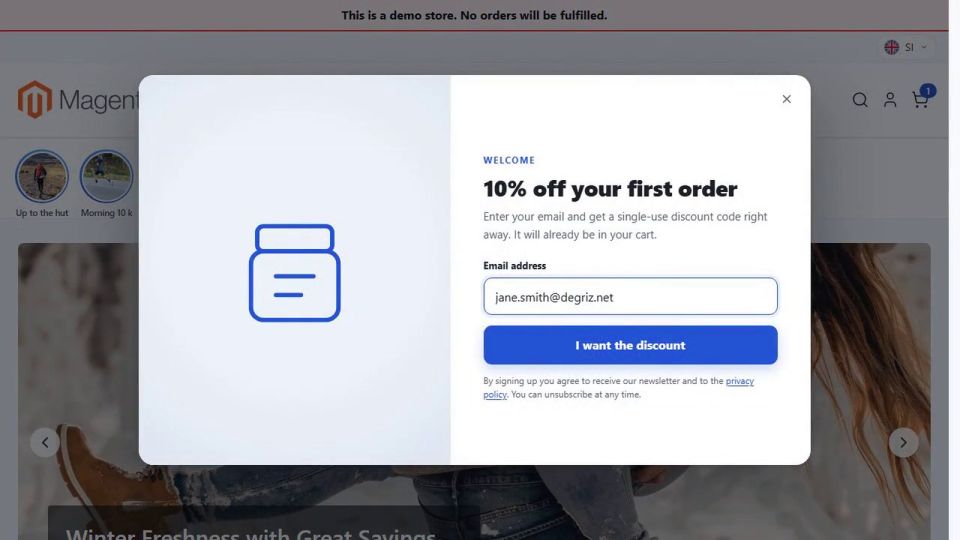
"Plenty of people visit, but almost nobody signs up for the newsletter." Most visitors leave without buying and without leaving an e-mail address, and you have no way to write to them later.
A visitor browses the store for a few minutes, then moves the mouse towards the tabs to close the page. That is when the "10% off your first order" pop-up opens. She types her e-mail address and clicks I want the discount. The pop-up shows her a single-use code marked Already in your cart, and she sees the discount in the cart and at checkout. If she does not buy right away, a reminder with the code and its remaining validity waits at the top of the store. If the store asks subscribers to confirm, the code arrives only after the confirmation link is clicked, so only real addresses get codes.
Stores that want more newsletter subscribers and more first orders, without an outside tool or a monthly subscription. Sign-ups, codes and statistics stay in your own Magento.
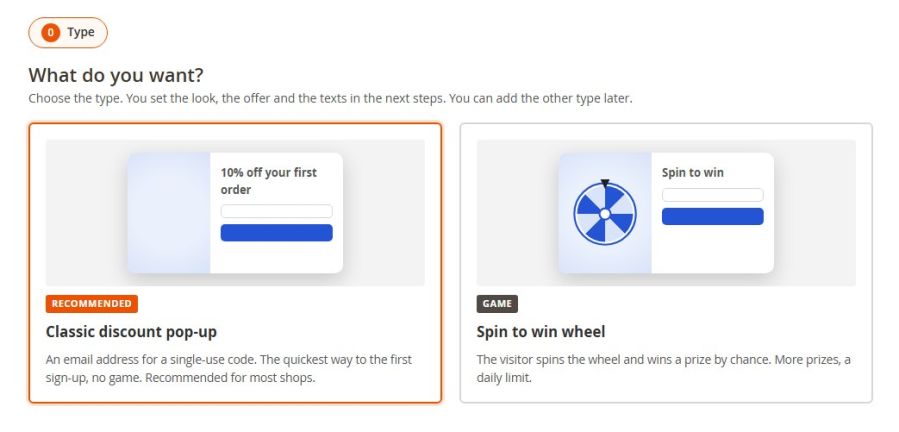
On first use, Marketing › Discount Popups › Campaigns asks what you want: the classic discount pop-up or the spin to win wheel. You then pick a look and the offer, try the pop-up with the preview link and switch it on. Texts for each language, timing, frequency, consents and duration are set in the campaign. If you prefer, we set it up for you.
Buy the module and we install it for you: free of charge for existing Degriz customers, by time spent for others. Building a new store? Add it to your project in the Konfigurator.
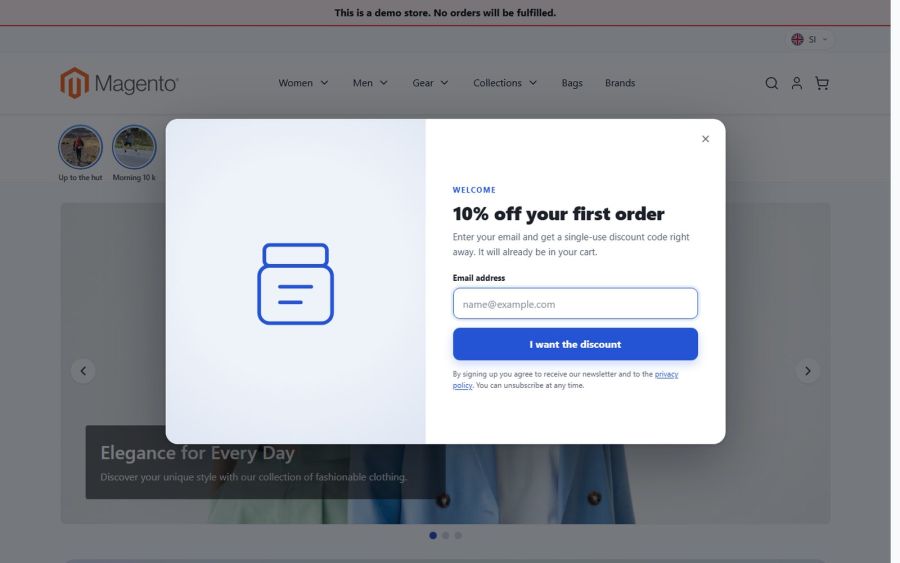
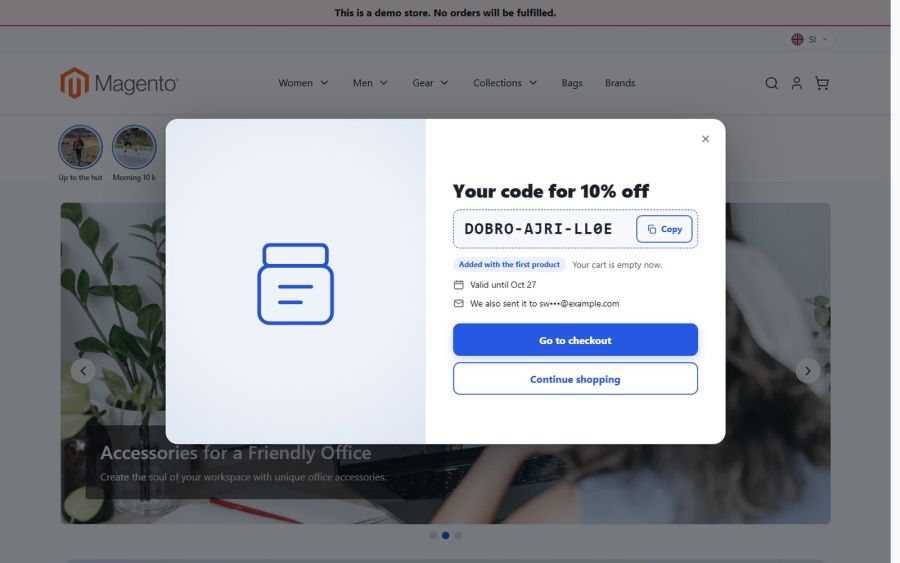
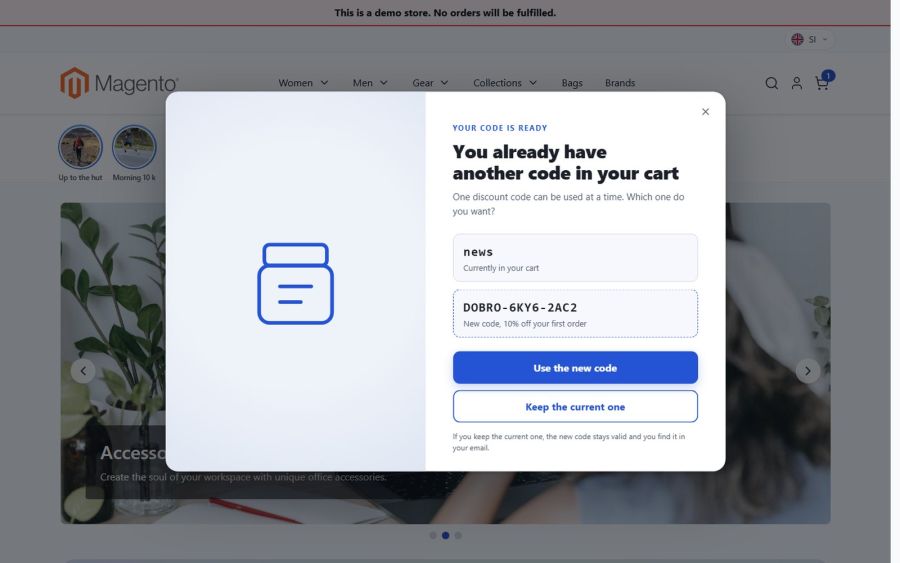
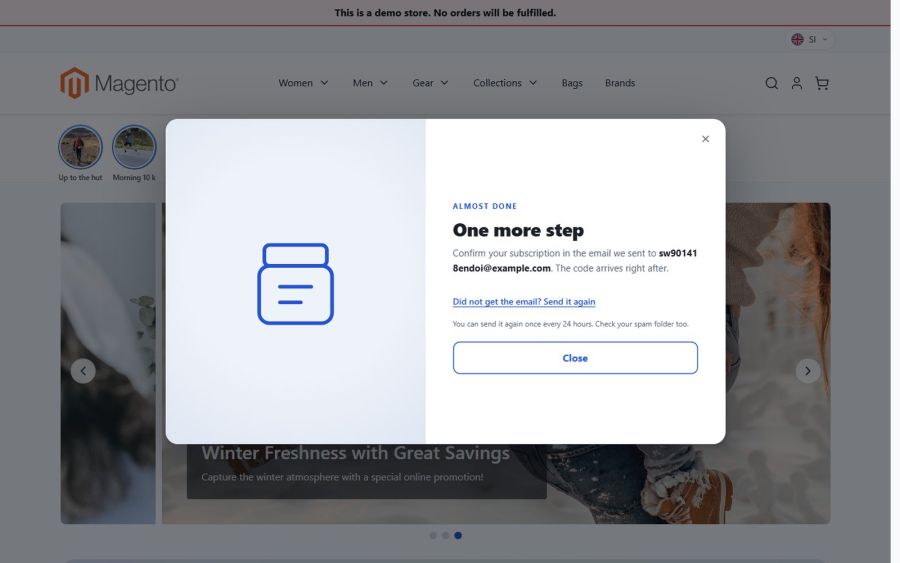
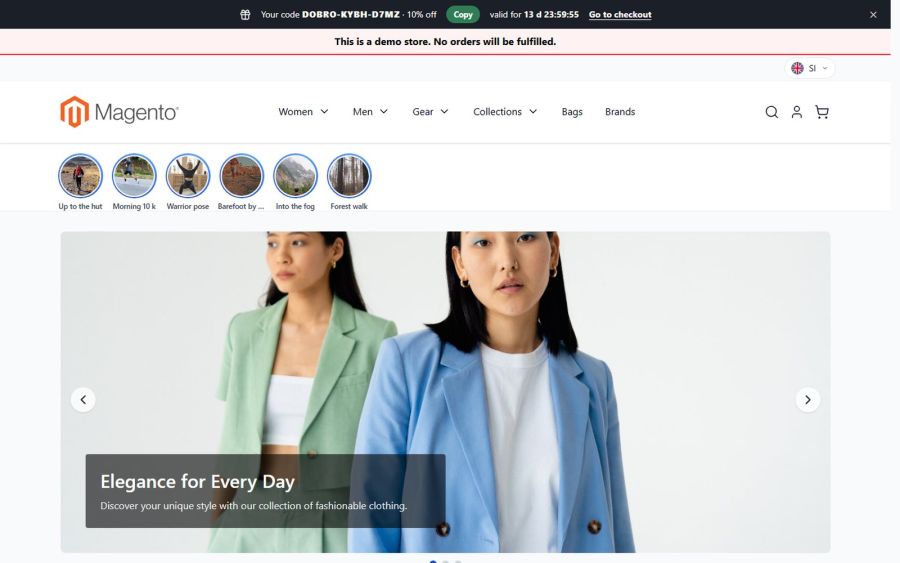
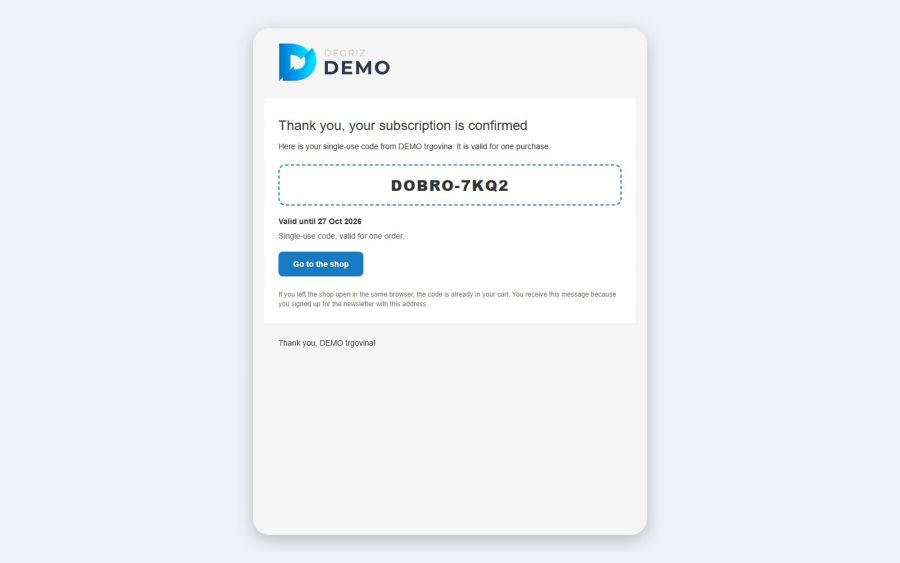
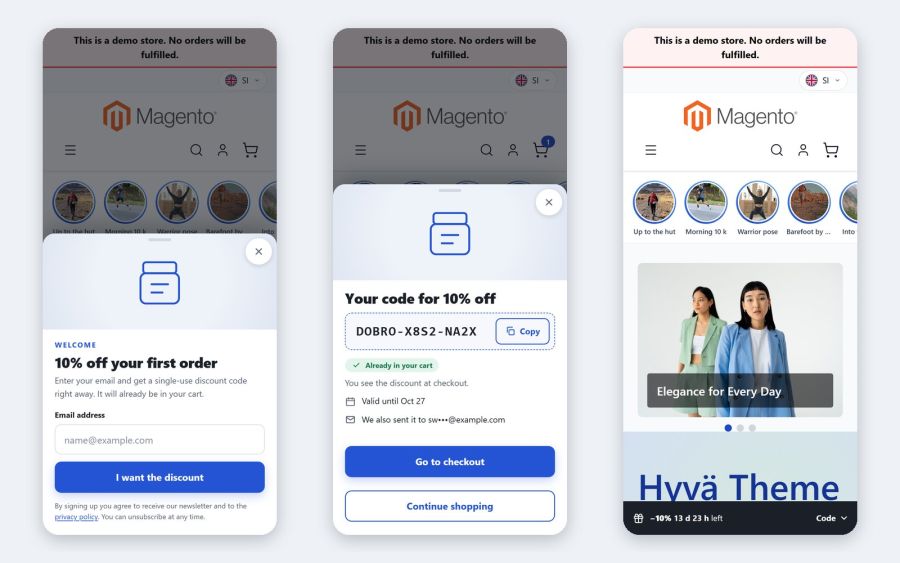
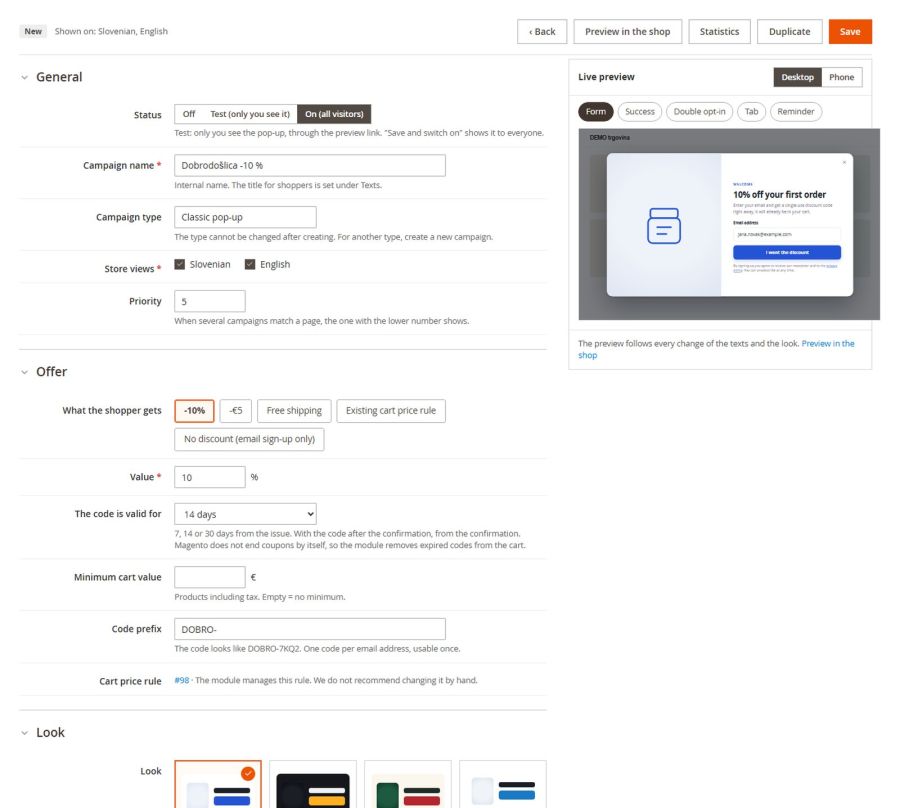
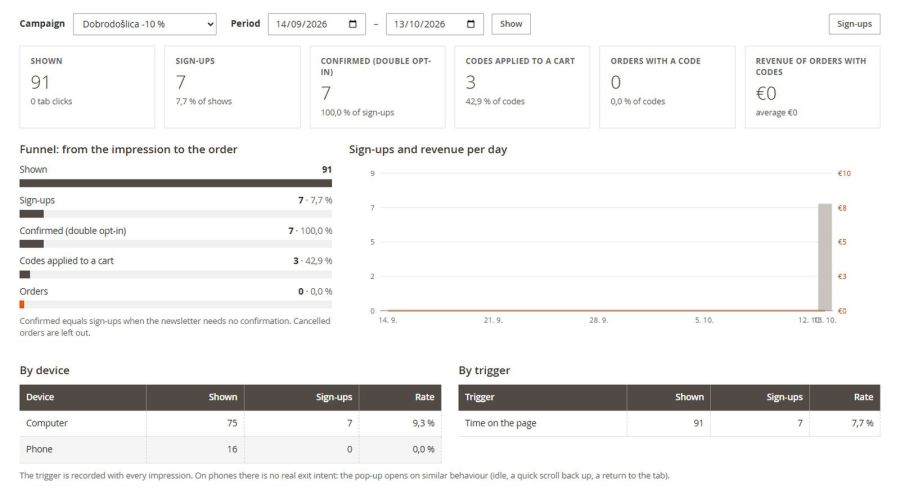
Our guide centre shows the settings and the everyday work with this module, with real screenshots.
You get the module from our private Composer repository; we send you the user name and access key after purchase. We can install it for you, or whoever looks after your store can run these commands in the root of the Magento 2 store (replace UPORABNIK and DOSTOPNI_KLJUC with the user name and access key you received):
composer config repositories.degriz composer https://www.degriz.net/konfigurator/composer/packages/composer config --auth http-basic.www.degriz.net UPORABNIK DOSTOPNI_KLJUCcomposer require degriznet/m2_spinwheelphp bin/magento module:enable Magelan_Base Magelan_SpinWheelphp bin/magento setup:upgradephp bin/magento setup:di:compilephp bin/magento setup:static-content:deploy -fphp bin/magento cache:flushOn a Hyvä theme run php bin/magento hyva:config:generate once after installing and rebuild the theme CSS. The module needs cron (code e-mails, order attribution) and working outgoing e-mail.
After installing, open Marketing › Discount Popups › Campaigns: since there are no campaigns yet, the first-run page "What do you want?" opens, where you choose the classic discount pop-up or the spin to win wheel.
After the purchase we send you the access key by e-mail. Keep it safe: for security it is shown only once and we do not keep it in readable form. The user name (your project code) and all the commands, ready to copy, are in your account under My account > Module licences.
Lost the key? Write to us and we will issue a new one; the old one stops working. [email protected]
Just the facts.
We develop and maintain the module ourselves, so you write to the people who know it line by line.
For existing Degriz customers we install the module free of charge. For other buyers we charge the installation by time spent.
A bug that repeats on a clean Magento with the Luma theme we fix free of charge. Settings, customisations and other themes by time spent.
The licence includes updates for the Magento versions on the supported list.
We agree on a date after reviewing the request. User guides in the guide centre
One-off licence for one production installation of Magento, no subscription.
For existing Degriz customers we install the module free of charge, for others by time spent. We agree on a date after reviewing the request.
 Free shipping informationA progress bar in the cart shows how much is left until free shipping. Adding one more product suddenly feels worthwhile.€150 + VAT
 Mini-cart cross-sellWhen a customer adds a product to the cart, you offer matching add-ons in the mini cart that they add with one click.€180 + VAT
 Free samples in the cartAbove a cart value the customer picks a few free samples from a category you choose. Each sample is one piece at 0.00, labelled "Sample" in the cart and on the invoice.€290 + VAT
Write to us and we will answer personally.
Online store configurator
Put your own quote together in the configurator and see the price straight away. A few minutes, no obligation, no meeting needed.
Free and with no obligation
We use cookies for the proper functioning of the site, visit analytics and showing ads tailored to your interests. Read more in our privacy policy. By clicking "Accept all" you agree to the use of all cookies.
Necessary cookies enable core functionality such as security, network management, and accessibility. You may disable these by changing your browser settings, but this may affect how the website functions.
| Cookie name | Cookie purpose |
|---|---|
| PHPSESSID | Preserves the visitor's session state across page requests. |
| magelan_geo | Remembers that the visitor closed the suggestion of the other language version of the store, so it is not shown again. |
| form_key | Protects visitor's data from Cross-Site Request Forgery Attacks. |
| guest-view | Stores the Order ID that guest shoppers use to retrieve their order status. Used in “Orders and Returns” widgets. |
| login_redirect | Preserves the destination page the customer was loading before being directed to log in. |
| mage-banners-cache-storage | Stores banner content locally to improve performance. |
| mage-cache-sessid | The value of this cookie triggers the cleanup of local cache storage. |
| mage-cache-storage | Local storage of visitor-specific content that enables ecommerce functions. |
| mage-cache-storage-section-invalidation | Forces local storage of specific content sections that should be invalidated. |
| mage-messages | Tracks error messages and other notifications that are shown to the user, such as the cookie consent message, and various error messages. The message is deleted from the cookie after it is shown to the shopper. |
| private_content_version | Appends a random, unique number and time to pages with customer content to prevent them from being cached on the server. |
| section_data_ids | Stores customer-specific information related to shopper-initiated actions such as display wish list, checkout information, etc. |
| user_allowed_save_cookie, cookie_consent | Stores the user's cookie consent state for the current domain. |
| X-Magento-Vary | Configuration setting that improves performance when using Varnish static content caching. |
Preference cookies are used to store settings and information that changes the website look and functionality.
| Cookie name | Cookie purpose |
|---|---|
| store | Remembers the user's selected language version of a website. |
Marketing cookies help us provide our visitors with relevant content, browsing history, and product recommendations.
| Cookie name | Cookie purpose |
|---|---|
| product_data_storage | Stores configuration for product data related to Recently Viewed / Compared Products. |
| recently_compared_product | Stores product IDs of recently compared products. |
| recently_compared_product_previous | Stores product IDs of previously compared products for easy navigation. |
| recently_viewed_product | Stores product IDs of recently viewed products for easy navigation. |
| recently_viewed_product_previous | Stores product IDs of recently previously viewed products for easy navigation. |
| _fbp | This cookie is installed by Facebook to store and track visits across websites. |
Analytics cookies help us understand how our visitors interact with the website. It helps us understand the number of visitors, where the visitors are coming from, and the pages they navigate. The cookies collect this data and are reported anonymously.
| Cookie name | Cookie purpose |
|---|---|
| dc_gtm_* | Throttles request rate when Google Analytics is deployed with Google Tag Manager. |
| _ga, _gat, _gid, _ga_*, _gat_* | This cookie is installed by Google Analytics. They are used to collect information about how visitors use our website. We use the information to compile reports and to help us improve the website. The cookies collect information in a way that does not directly identify anyone. |