


Popup windows, or "pop-up" windows, are content windows that appear above the viewed content.
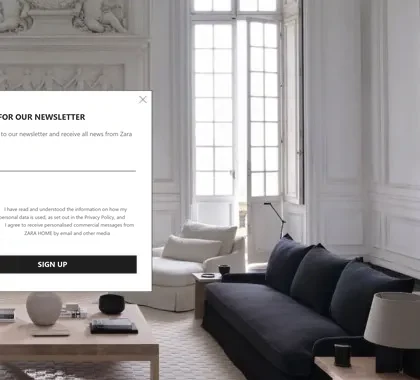
Pop-ups are used when you want to highlight an important content section of the page. The most common example is a newsletter signup, as it allows you to capture the visitor's email address, enabling you to contact them with updates and benefits. This way, you aim to capture visitors, especially those who leave the site without making a purchase or taking another action that would allow you to reconnect with them.
Pop-ups also have a negative reputation, as they are often used for advertising on pages with unwanted content, which can negatively affect the user experience. They can appear while reading content that likely attracted the visitor, making their display over the content quite disruptive. The close button is sometimes hidden or too small, forcing the user to click or enter an email address. This is a misleading practice that can be an unfair commercial practice in the EU; the close button must always be visible and large enough.
In addition to traditional pop-ups that display the entire content upon visiting the page, there are other types of pop-ups that I will explain in the following sections.
Click-triggered Pop-ups
Pop-ups that open upon clicking are the least intrusive of all pop-ups because they appear precisely when the user initiates a specific action, without interrupting their browsing. They can be particularly useful when you don't want the visitor to leave the page. For instance, if you are promoting a free e-book, a visitor can open a pop-up window with a form for downloading the book by clicking on the "click to download the free e-book" action. After completing the form, they can continue browsing the page.
Time-triggered Pop-ups
Time-triggered windows are used when you don't want to interrupt the visitor's browsing but still want to tie the appearance of the pop-up window to the time spent on the page or the number of pages viewed. In this way, you haven't prevented the visitor from getting to know the page's content with their first visit, potentially increasing the likelihood that they will sign up for newsletters, especially if the content they've viewed has convinced them. In my opinion, pop-ups can be problematic because they appear too quickly. When we visit a website, the newsletter signup form may appear before we've had a chance to review the website's content.
Sidebar Pop-ups
Due to the increasing size of computer screens, there is often unused space along the sides of individual web pages, which is ideal for displaying occasional promotions or benefits. Such sidebar pop-ups do not negatively impact the user experience since users can easily ignore the ad, as it typically does not cover the main content. The main content is usually limited in width so that users can read the text without interruption. You can dedicate the unused space alongside the content to sidebar pop-ups. Sidebar promotions are often fixed in place and always visible, making them less likely for visitors to miss.
Exit-intent Pop-ups
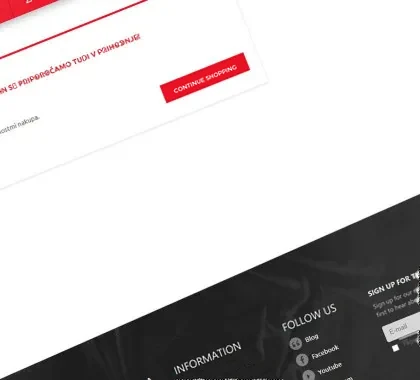
Exit-intent windows are an excellent way to retain a customer on a website and offer special benefits to keep them on the site. They are also used when a visitor adds an item to their cart but does not complete the purchase. In such cases, exit-intent pop-ups are typically used to display benefits like a free shipping coupon, a gift with purchase, and more.
Top Bar Pop-ups
Top bar pop-ups are less intrusive than traditional overlay windows because they appear within the content rather than covering it, simply displaying it lower on the page. In cases where they do appear over the content, they usually only cover a portion of the page, allowing users to continue browsing without complete obstruction.
Pop-ups and search engines
Updated 2026. Google penalizes pop-ups that cover all content when a visitor arrives from Google, especially on mobile devices. Exceptions are legally required windows (cookie notice, age verification), small windows that take up only a small part of the screen, and windows the visitor opens by clicking. Recommendations: do not show a pop-up immediately on arrival; keep the close button always visible; do not use exit pop-ups on mobile devices; for newsletter signup choose an inline window or a click-triggered window. A newsletter signup must carry a clear consent text.
Frequently asked questions
It can - a well-timed popup with a relevant offer can be useful, but measure the effect yourself. The key is when and to whom they appear. A popup that appears immediately on arrival is aggressive. Exit-intent or click-triggered is less intrusive.
Exit-intent popup (when the mouse moves toward closing the tab), newsletter signup with discount, confirmation popup when adding to cart, and seasonal popup with a promotional offer. Each has a different purpose and goal.
Once per session is the maximum, less often for returning visitors. Too high frequency annoys visitors and increases bounce rate. To remember that the popup has been shown you can use a cookie, which you should list in your cookie policy; if you also use it for tracking or advertising, you need consent.
Google guidelines discourage aggressive popups on mobile devices that cover content immediately on arrival. We recommend that popups are time-delayed or exit-intent, and have a visible close button.
A popup with a newsletter signup form can be an effective way to build an email list, with clear consent wording. With integration with Mailchimp, Klaviyo, or similar tools, new subscribers are immediately added to email sequences.

My name is Anže, I am a certified Magento solution expert and the maker of several award-winning online stores. I am the architect of all Degriz projects.
Write to me →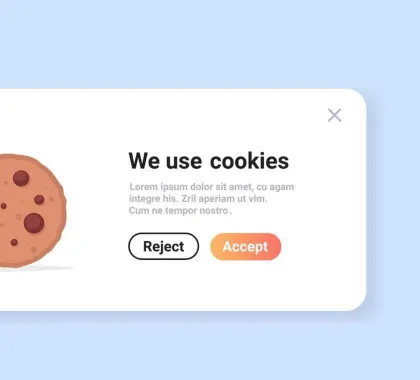











 Reading